


Getting Started with Smart Home Technology: Devices That Make Everyday Living Easier
A smart home does not have to begin with a complete system. One carefully chosen device can help you learn what is useful, what setup involves, and which connected features you actually want. Starting small also makes it easier to understand the role of apps, accounts, wireless connections, and ongoing support.
Begin with a specific routine: turning on a lamp, checking an entry area, or adjusting a compatible thermostat. A clear goal makes it easier to compare products without building a complicated system before you know how you will use it.
Choose the first task before the first device
Write down what should happen, when it should happen, and who needs to control it. For a lamp, that might mean a scheduled evening light with a simple manual control. For a camera, it might mean checking a particular area while understanding how recordings are stored.
Then decide which features are necessary. Voice control, remote access, automated routines, and activity history are separate capabilities. A product may offer some through its basic setup and others only through additional equipment or a paid service.
Build a compatibility checklist
Read the product’s requirements for wireless networks, phones, operating systems, hubs, and supported platforms. Do not assume that two products work together merely because both are described as smart. Confirm the exact integration and the features it supports in the manufacturer’s current documentation.
Understand the role of a hub
Some devices connect directly to a compatible network, while others require an additional controller or hub. Check whether that equipment is included and what happens if it is disconnected. Include any required accessory in the purchase comparison and planned setup space.
Also consider household access. Find out whether more than one person can use the controls and whether different access levels are available. A system should be manageable for the people who live with it, including those who prefer physical controls.
Pick lighting and plugs for their intended loads
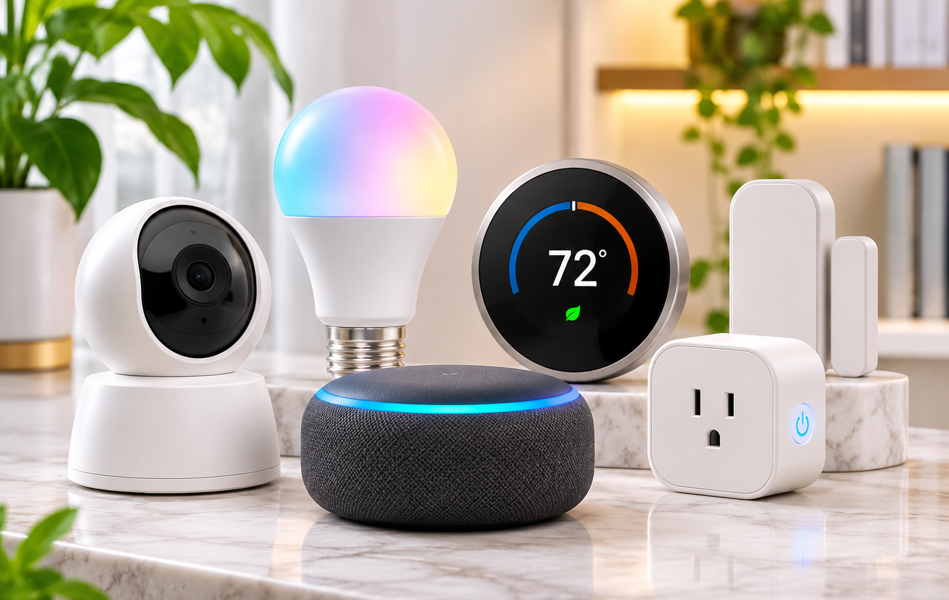
For smart bulbs, check fixture compatibility, fitting size, and any restrictions involving existing switches or dimmers. Read setup and placement instructions before replacing a bulb. Color features may be appealing, but everyday brightness and convenient control remain practical priorities.
For a smart plug, check the manufacturer’s permitted uses and electrical ratings against the connected appliance. Do not assume that every plug is appropriate for heaters, large appliances, or unattended operation. Follow the appliance’s instructions as well as the plug’s guidance.
Evaluate cameras and sensors with privacy in mind
Before buying a camera, read about recording options, account requirements, storage location, and retention controls. Determine which functions need a subscription and which continue without one. Consider who can access a live view or saved recording.
Choose placement intentionally
Think about the area you need to observe and the privacy of household members and visitors. Avoid placing a camera simply where an outlet is convenient. Review notification settings so alerts are useful rather than a constant interruption.
For contact sensors and similar accessories, check mounting requirements, operating conditions, and battery replacement instructions. Remember that an app notification depends on the product’s setup and connectivity. Do not treat a general-purpose smart device as a substitute for a dedicated life-safety system.
Review thermostat requirements before installation
A smart thermostat needs to be compatible with the specific heating and cooling equipment in the home. Use the manufacturer’s compatibility process and installation guidance. If the wiring or equipment is unclear, use an appropriately qualified professional rather than guessing from a product photo.
Compare schedules, household controls, and manual operation alongside connected features. No particular energy savings should be assumed from purchasing a thermostat alone. Results depend on equipment, settings, conditions, and the way a household uses it.
Make security part of setup
The FTC recommends securing the router, using unique credentials, keeping device software current, and turning off features you do not use. Review the manufacturer’s update and support information before buying. A connected device needs attention after the initial installation.
Use a strong, unique account password and enable multifactor authentication when available. Review permissions requested by the companion app and remove unused devices from your account. See the FTC’s guide to securing connected devices at home for further steps.
Test ordinary interruptions
Check the documented behavior during an internet outage, power interruption, or unavailable cloud service. Learn how to operate essential functions manually where the product supports it. Keep instructions available for other household members and anyone helping with the home.
After setup, test one routine at a time and adjust unnecessary notifications. Add another device only when it solves a clear need. A useful smart home is a system you understand, can maintain, and can operate comfortably throughout an ordinary day.
Keep a simple device record
Record each device model, its support page, and where you keep its instructions. Review the list when replacing your phone, changing internet service, or moving. This small habit can make future setup and troubleshooting easier without relying on memory.